Scan or open the item.
A supported QR label takes you to its record. Find the building or equipment you need.

Simple building compliance on your smartphone or tablet. Record everyday checks, bring in Vraxor engineers for technical inspections and keep your chosen services under one agreed monthly payment.
Self-register first. Account approval unlocks building tools.
Already have an account? Sign in →
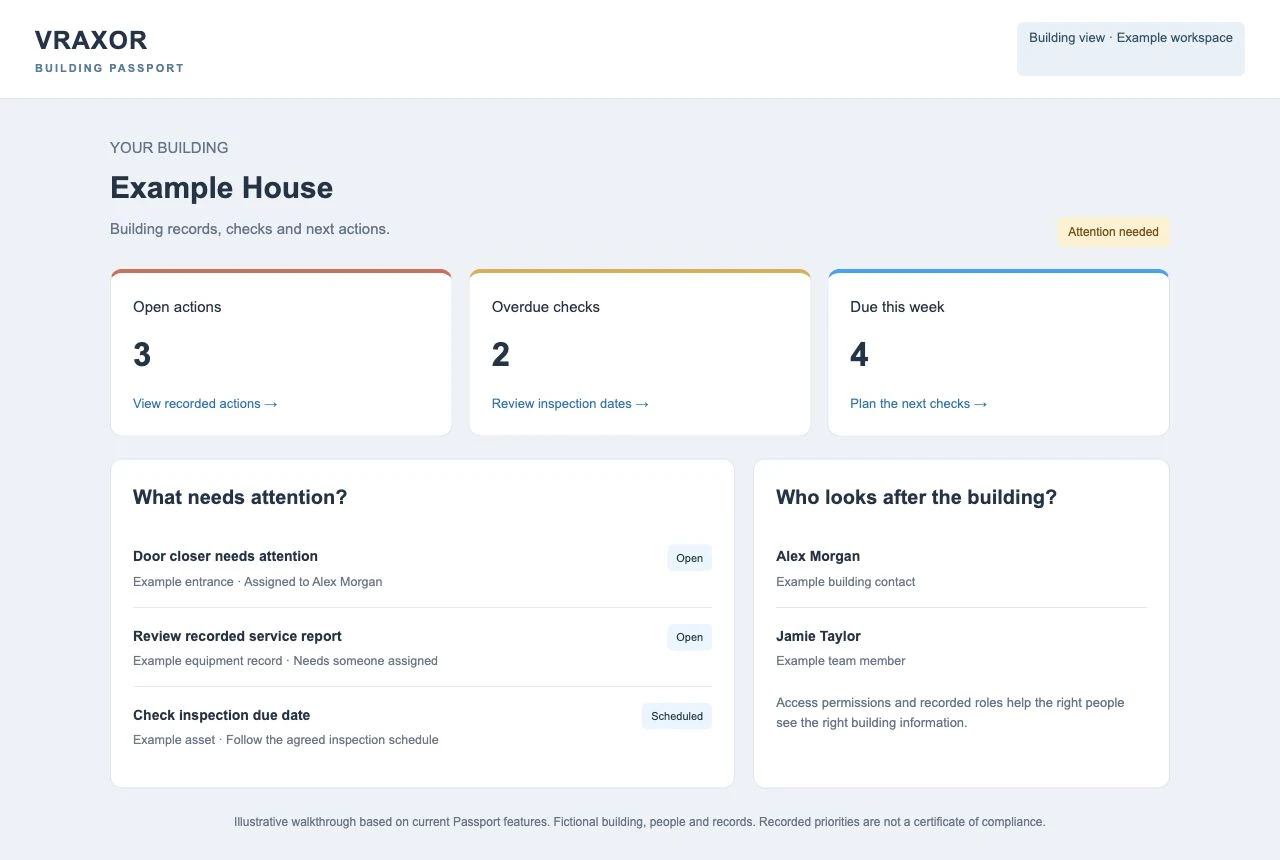
Use Passport on your smartphone or tablet while you are at the building. Open the item, follow the check workflow and record the result there and then.
No need to turn a walk around the premises into another evening of paperwork.
A supported QR label takes you to its record. Find the building or equipment you need.
Your team records appropriate routine checks within their training and permissions.
Record findings and see any follow-up action, instead of leaving the problem in someone’s notebook.
Keep the information with the building, so the next person can find it.
A shared building record gives your team somewhere to start, instead of searching through old emails and folders.
Recorded inspection dates and open actions make the next job visible. Overdue and upcoming checks have a place in the working day.
Equipment records and recorded work belong with the building. Team access can change while its history stays available to authorised users.
Create the building record, identify equipment and bring available information together. QR labels connect supported items to their records.
Use the inspection workflow to record checks and findings against the right item. Your staff handle suitable routine checks. Add inspections and service records from Vraxor engineers for the more technical work, all against the relevant building or item.
See open actions, recorded priorities and named action owners. Follow status and completion records rather than assuming a task is finished.
Manage building contacts and access roles. Keep the right people connected to the records they need, with building contacts and access clearly recorded.
The building-health overview brings recorded open actions and due checks into focus. Switch between the buildings you can access and review each one’s priorities.
Priorities follow the information recorded for that building. Missing information and unassessed areas stay visible, so your team knows what still needs checking.
You do not have to choose between doing everything yourself and handing over the whole estate. Agree the support around your people, buildings and workload.
Begin the account process yourself. After approval, use the tools available to your account to establish building records, contacts and equipment information.
Keep appropriate everyday checks with your team and bring in Vraxor’s own engineers for technical inspections, assessments and servicing. Their recorded work sits alongside your building information, so you can see the findings and follow-up in one place.
Keeping appropriate tasks with your staff can reduce avoidable administration and separately instructed visits. Choose the setup and technical services that fit your buildings. Agree the monthly package and included work upfront; any extra work is quoted for your approval before it is added.
Bring your selected Vraxor services into one agreed monthly package. Keep the programme, inspection records and next actions easier to manage through Passport.
Add an FRA to the agreed programme, with findings and recommended actions kept understandable.
Explore FRA support ↗TEST & RECORDInclude the agreed emergency lighting tests, service records and follow-up for equipment needing attention.
Explore lighting testing ↗SERVICE & MAINTAINAdd fire alarm testing and servicing by Vraxor engineers, with the visit scope and records agreed for your system.
Explore alarm support ↗Your proposal defines the selected services, visit schedule, monthly payment and what is included. Repairs, replacements or other work outside the package are quoted for approval before being added. Inspection and review frequencies follow your building’s needs and the agreed scope.
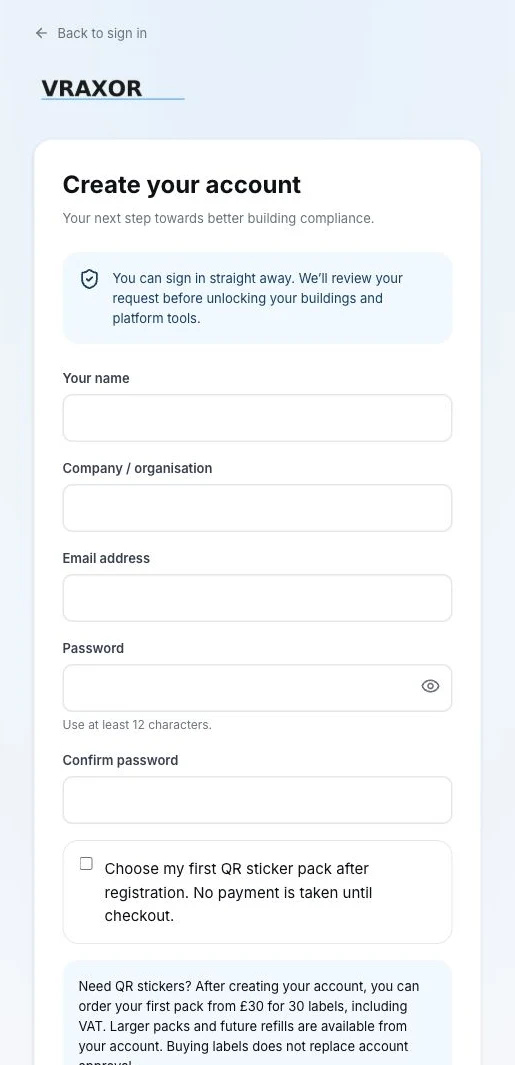
Provide your details and organisation. Your account request is reviewed before building tools are unlocked.
After approval, establish the building, contacts and available equipment records. Identify what is missing.
Your team handles appropriate routine work. Vraxor can support the setup and deliver the specialist services you commission.
Yes. Passport supports access to multiple buildings. Open the building you need to review its recorded checks, equipment and actions; each user sees the buildings available to their account.
Your team can carry out suitable routine checks and record work within their training, competence and permissions. Specialist assessments, testing and repairs still need the right people. Agree with Vraxor which services you want our own staff to deliver.
Yes. Discuss your buildings, current records and what you want us to manage. The proposal defines setup support, inspections, maintenance, follow-up and responsibilities for the agreed programme. Every Vraxor service is delivered by our own staff.
You can start the account process online now. The app allows sign-in after registration, with a review before buildings and platform tools are unlocked. Purchasing labels does not replace approval.
No. The overview reflects recorded information, checks and actions. Missing or unassessed areas remain unknown. Required assessments, inspections, maintenance and remedial work still need to be carried out and evidenced.
Yes. Open Passport on your smartphone or tablet, find or scan a supported item and follow the record or check workflow. It is designed to keep the information with you while you work around the building.
Yes. Include the technical inspections, assessments or servicing you need in the agreed programme. Vraxor engineers record their work against the relevant building or item, alongside the routine records your own team maintains.
Yes. Choose a modular monthly package around your buildings. FRA, emergency lighting testing and fire alarm testing or servicing can form part of the agreed programme. The proposal defines the services, schedule and monthly payment.
The agreed monthly payment covers the work identified in your package. Any repair, replacement or other additional work outside that scope is quoted for approval before it is added, so you can make the decision knowing the cost.
Start your account, or tell us how many buildings you manage and what is taking the most time. We’ll discuss a useful starting point.